
Guroo
Guroo is an online platform for creating interactive modules that sync perfectly with Moodle. You can easily create a module using templates, stock elements and images and even integrate interactive elements, such as:
- conversation screens
- graded or reflective questions
- branching navigation
- feedback based on choice or responses
- custom scoring or metrics
A defining feature setting Guroo apart from other interactive platforms or software (e.g. H5P) is its avatar feature, mimicking a real-life conversation.
Accessing Guroo
For first time users
- Request an account.
- Support request > Learning tools
- If you're requesting on behalf of other staff, please fill in their name(s) and email address(es) in the description box.
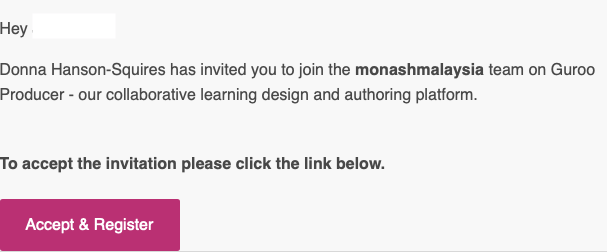
- Once your account has been set up, you'll receive an email from Guroo with a link to the platform. Click on the link to set up your account password.
If you already have an account
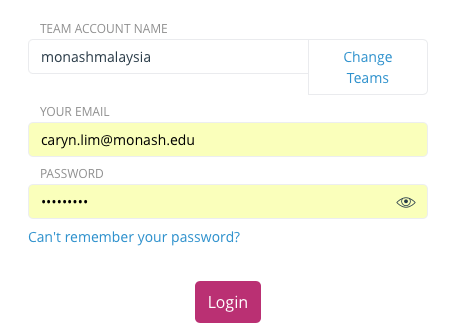
- Go to ima.gurooproducer.com/login to begin.
- Use the team name "monashmalaysia" and your Monash email to log in.
Navigating Guroo
So you've got your account and you want to start creating! First, let's take a look at the Guroo Producer user interface. In this chapter, you'll learn from Donna Hanson-Squires, the COO of Guroo, how to navigate the home page and what its main features are.
Ideas and examples
Guroo is a versatile tool for creating interactive modules. You may be wondering at this point, "what can I use it for?" Here are some ideas for integrating Guroo modules into your unit:
| Key concepts library | Use Guroo to create a 'library' of modules that explore key concepts relevant to your unit. Use the module to explain a key concept, provide examples and give students a chance to test their understanding via questions. Encourage students to come back to these modules at any time, especially if key concepts are employed over several weeks / topics. Here's an example of a key-concepts module. |
|---|---|
| Scenario-based learning | Use Guroo to create role-play scenarios in which students interact with characters and, in the process of doing so, reflect on complex issues or concepts. Here's an example of a scenario-based module. |
| Scaffold learning | Use Guroo to scaffold learning by providing guidance and tips on how to approach their weekly materials. Use the module to ask reflective questions and encourage critical thinking; check their understanding on the content of a video; explain key academic skills like how to read a journal article. Here's an example of a scaffolding module. |
| Self-paced learning | Use Guroo to create entirely self-paced modules. Give students the chance to choose which modules they'd like to attempt and in what order. Award grades based on completion of modules as well as built in quizzes. This model is being used in several General Studies units where flexibility and student engagement are top priority. |