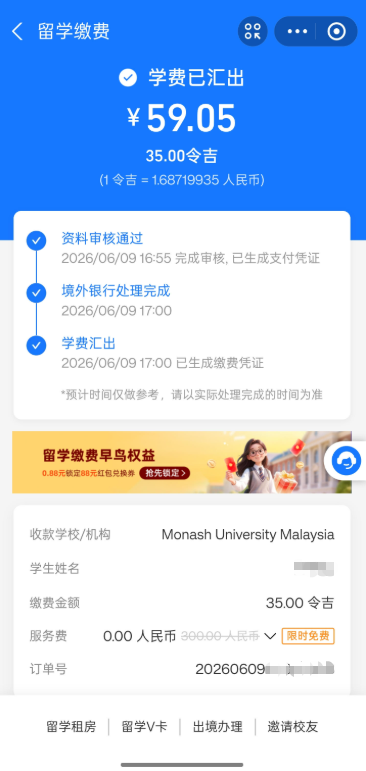
Alipay
Virtual Account Generator
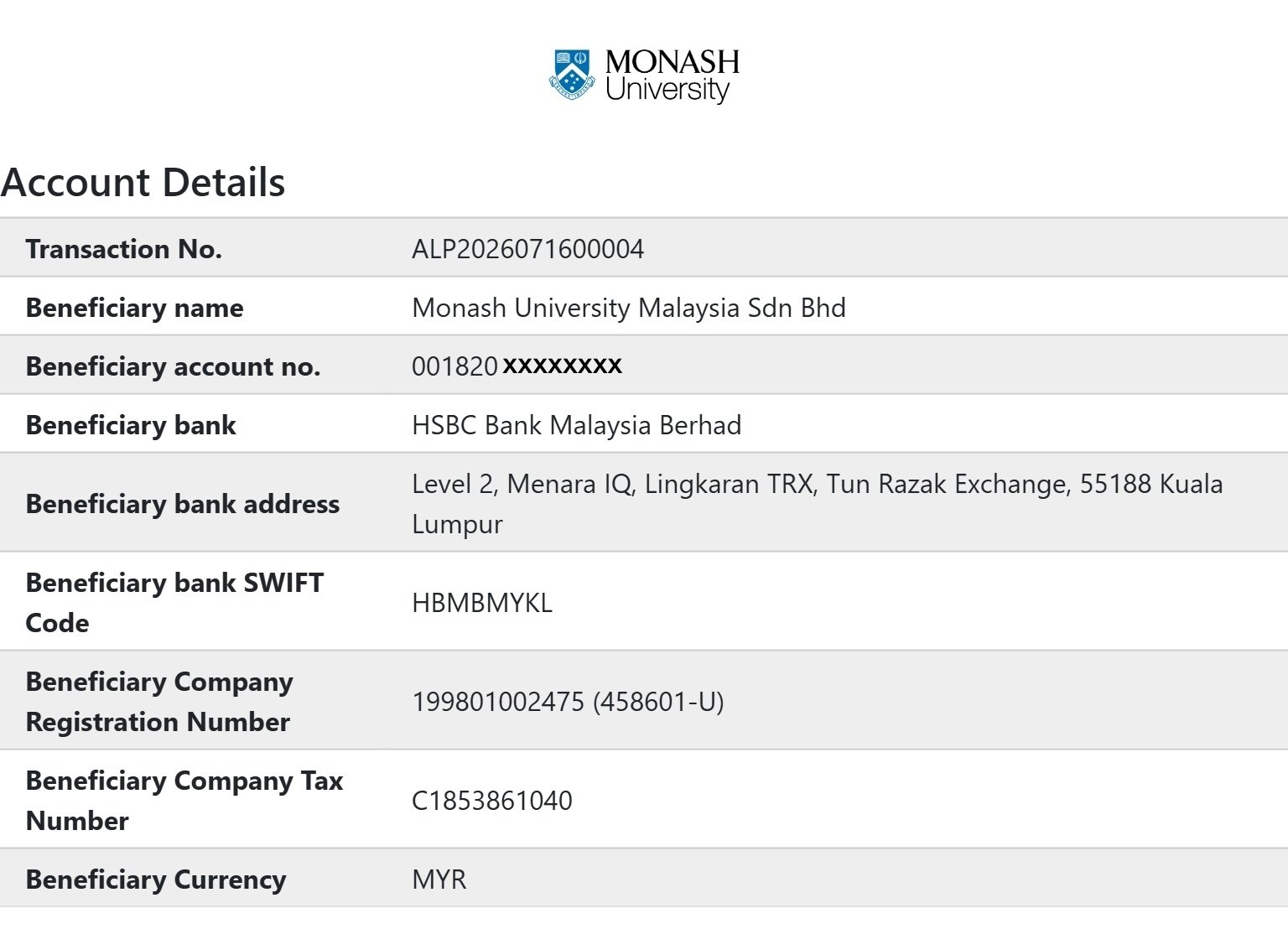
Click here to generate a JPEG of your Monash University Malaysia virtual bank account details that needs to be uploaded on the Alipay app.

Click here to generate a JPEG of your Monash University Malaysia virtual bank account details that needs to be uploaded on the Alipay app.
Step 1: In the Alipay app, search for the mini-program "留学缴费" (Study Abroad Fee Payment).
 | Step 2: In the mini-program interface, search for "Monash University Malaysia".  |
| Step 3: Click on the blue text "添加缴费账户信息" (Add payment account information). Add your individual virtual bank account for Monash University Malaysia. 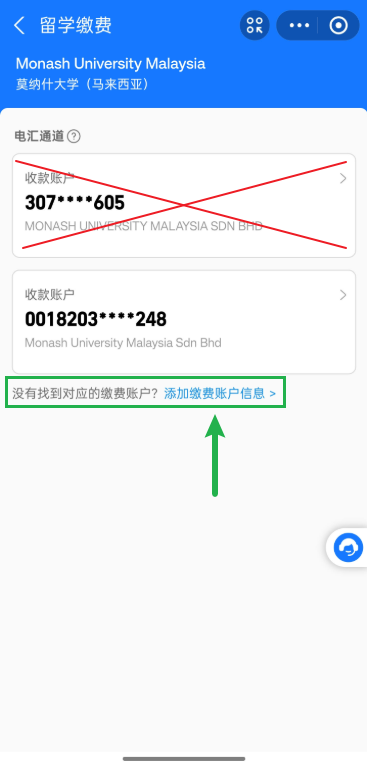 | Step 4: Click here
to generate a JPEG of your Monash University Malaysia virtual bank account details for upload to the Alipay app.
Once submitted, please wait up to 2 working days for Alipay to review your information. 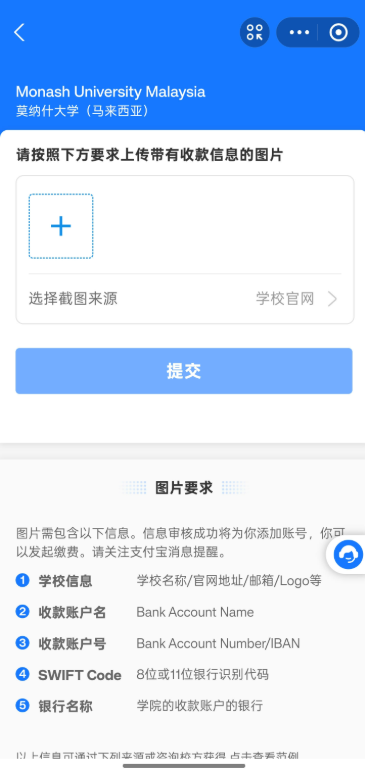 |
Step 5: Once approved, your virtual account will appear in the interface. Below is an example of a successfully added virtual account.
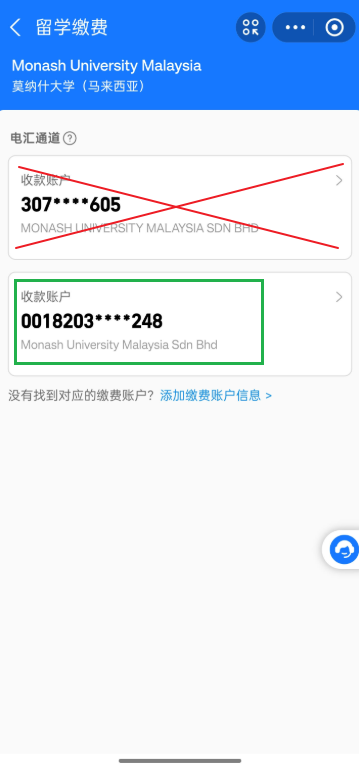 | Step 6: Select your virtual account and enter the remaining digits of your Student ID.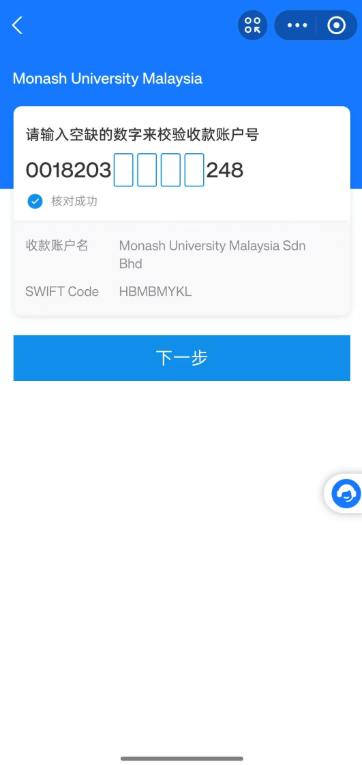 |
Step 7: Enter the payment amount in MYR.
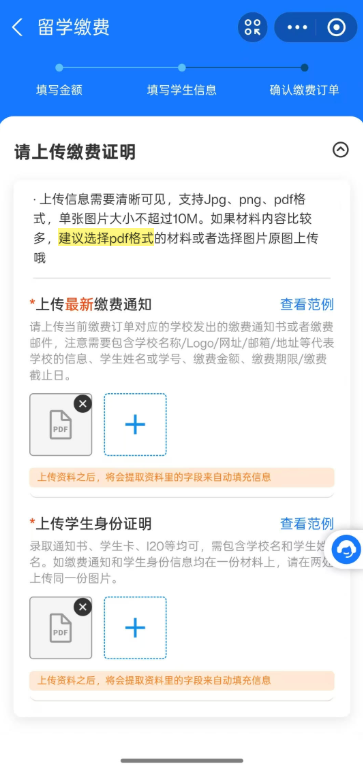
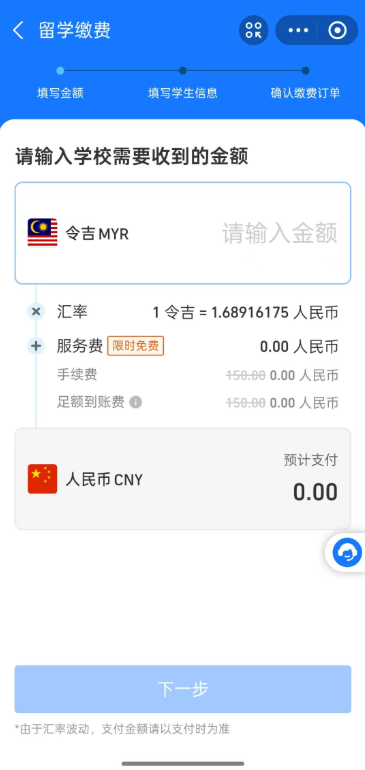 | Step 8: Upload the required official documents from Monash University Malaysia in PDF format.
 |
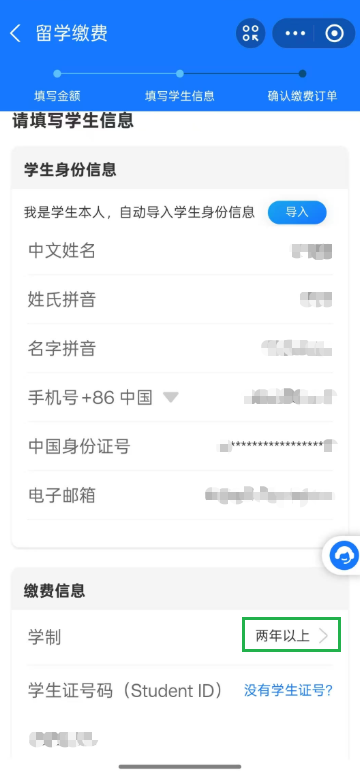
Step 9: Fill in and verify your personal details.
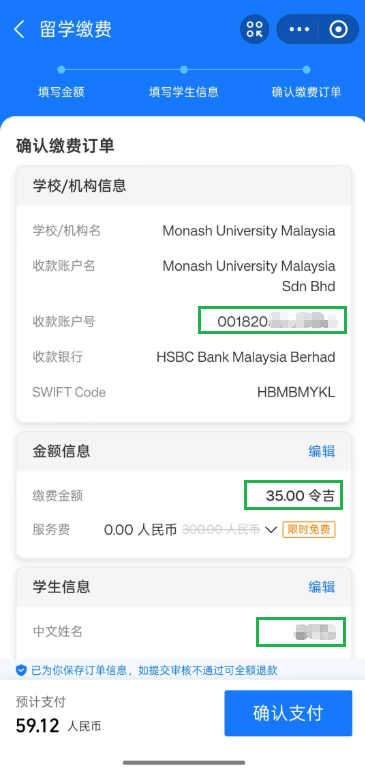
 | Step 10: Review all the information, then tap
"确认支付" (Confirm Payment).
 |
Once done, please wait for 3 working days for Finance to email the official receipt to you.